Ultione / Journal
Compressed Sofa Guides
Choosing a Compressed Sofa for Console Gaming: Seat Depth, Shared Play and Room Fit
A controller changes how you use a sofa. Compare upright play, shared seating and the place your equipment lives before choosing a deep lounge seat.
The short answer
What you need to know
For console gaming, choose a compressed sofa by your controller position, each player's usable space and the route around the chaise. ULTIONE's THE L has a 16-inch seat height, 25.6-inch seat depth and 92.5 × 61-inch footprint. Its low, deep seat is worth considering for feet-up play and shared lounge use. For mostly upright play, compare back support and feet-on-floor sitting; for a keyboard and mouse, plan a separate desk seat.
- THE L seat height
- 16 in
- THE L seat depth
- 25.6 in
- THE L footprint
- 92.5 × 61 in
- PS5 ventilation
- At least 10 cm around each side
A compressed sofa can work well for a console-gaming room when you want relaxed seating that also works for ordinary evenings at home. The useful buying questions are specific: can you hold a controller comfortably, can two people play without borrowing each other’s space, and can you reach the equipment without stepping over a chaise?
Start with the game you actually play. A couch that feels good while you watch a movie may feel different when you lean forward for a racing game or keep both hands on a controller. A deep seat offers room to curl up, but that is not the same task as upright, feet-on-floor play.
For US and Canadian households using a living room, basement or spare room for consoles, those checks are more useful than a “gaming” label. Below, we use THE L’s published dimensions to make them concrete.
Decide whether this is a console seat or a desk setup
A wireless controller lets you change position without keeping a keyboard and mouse on a fixed surface. That makes a lounge sofa a reasonable option for console play. A desktop setup has a different job: supporting the input devices at a usable height and giving the chair a clear relationship to the desk.
If you mostly play PC games at a desk, buy the desk chair for that task and treat the sofa as a second seat. If you mostly play a console on the television, evaluate the sofa while holding the controller. For a mixed room, arrange both without expecting one to replace the other.
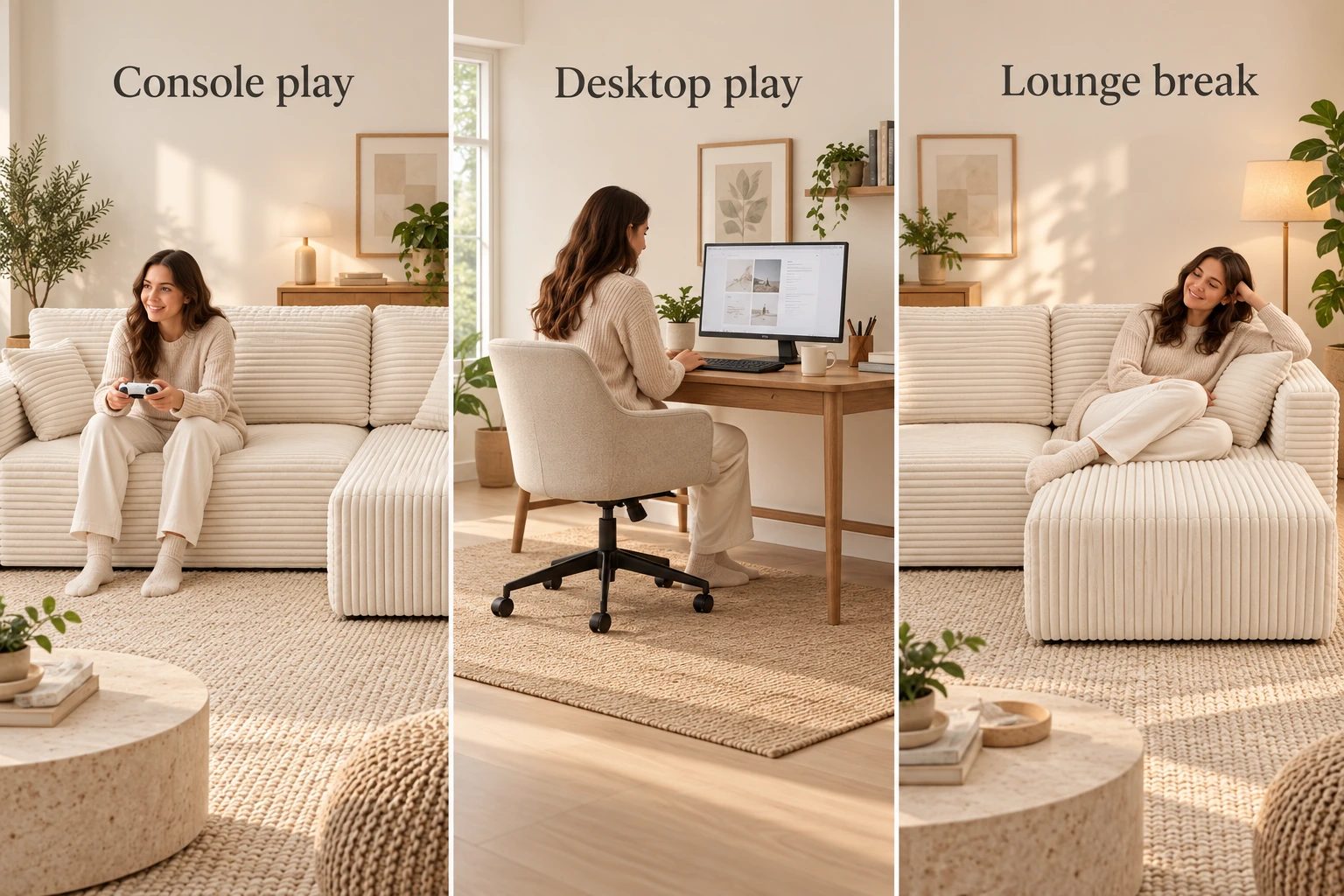
Write down the room’s usual pattern before shopping: one player with a headset, two-player cooperative games, family party games or spectators joining occasionally. “Two people playing” needs two usable positions and two clear views. “One person lounging” can use the chaise very differently.
Read seat depth and seat height together
THE L has a 16-inch seat height and 25.6-inch seat depth. That is approximately 40.6 cm high and 65 cm deep. Its expanded footprint is 92.5 × 61 inches, with the 61-inch dimension describing the full front-to-back depth at the chaise rather than the regular seat depth.
 THE L
THE LThe low height matters when you lower yourself onto the seat and stand up. The depth matters when you sit against the back cushion: the farther your hips are from the front edge, the more seat lies beneath your legs. A cushion behind your back changes the usable sitting depth without changing the product’s listed dimension.
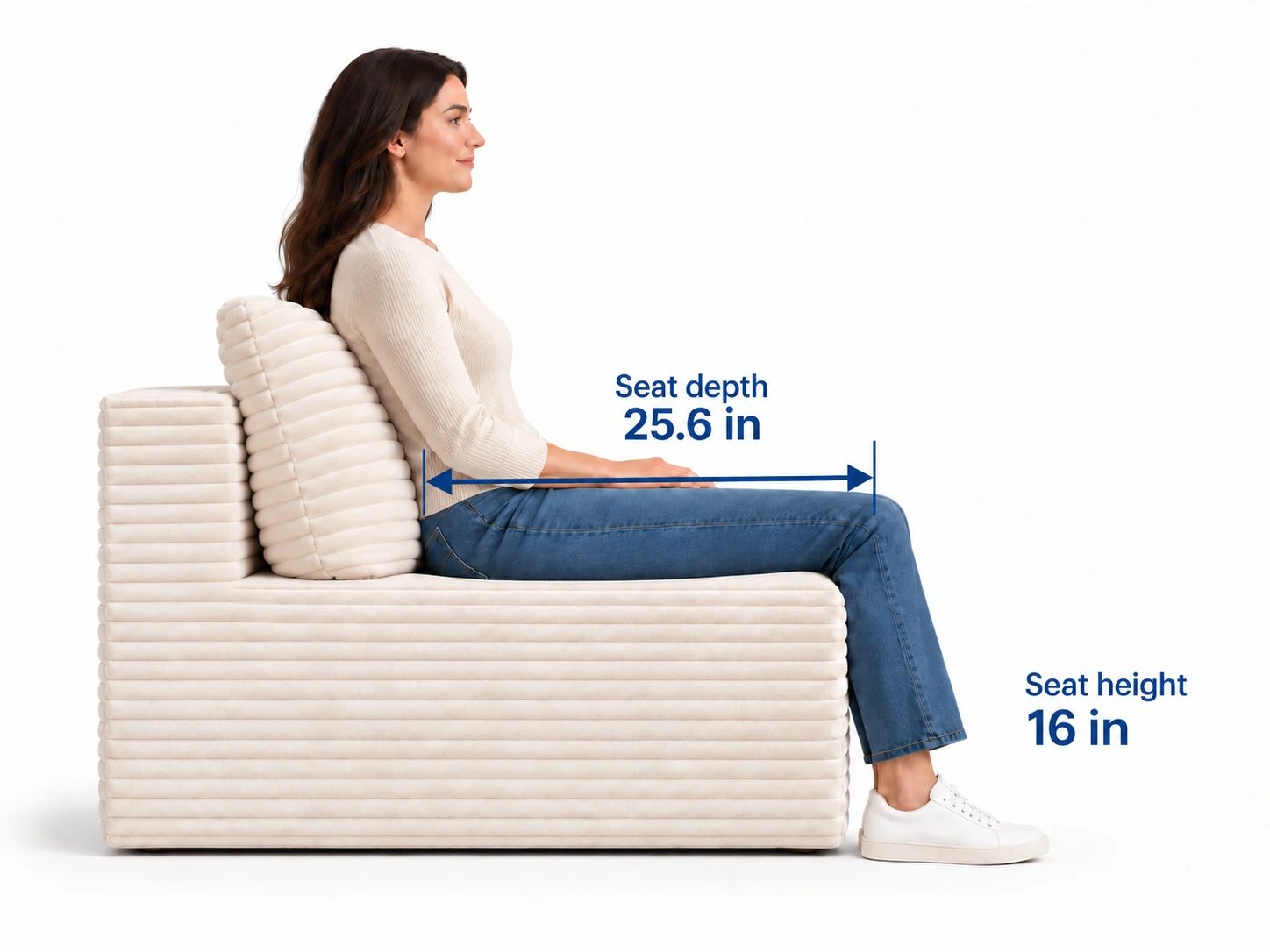
Measure your current favorite seat, then hold a controller there. Note whether you sit against the back, shift forward or use a pillow. If you regularly move to the edge because the back is too far away, that tells you something useful before buying another deep seat.
THE L’s chaise is relevant if you enjoy feet-up play and breaks between games. Its low seat is also worth comparing carefully if someone in the household prefers a higher seat. The best choice is the one that supports your normal routine, not the deepest seat available.
Try three positions with the controller in your hands
Use these as a buying check, not a posture prescription. You are looking for a position you can use naturally and change easily.
| Position | What to check | What would make you reconsider |
|---|---|---|
| Upright against the back | Feet position, back-cushion placement and relaxed shoulders | You must reach forward constantly or pile up cushions to find support |
| Brief forward lean | Controller room, elbows and a clear return to the back | You stay perched on the front edge because the rear position does not suit you |
| Feet-up lounge | Screen visibility, head position and where the other player sits | Your legs or pillows take the next person’s playing space |
Hold the controller rather than merely placing your hands in your lap. Use the buttons and sticks as you normally would. Notice if an armrest pushes one elbow outward or if you keep raising your shoulders to hold your hands in position.
Also put on the headset you normally use. A large back cushion can meet a headset differently when you recline. You do not need a long trial to notice an awkward contact point, but do give yourself time to move between positions rather than judging only the first sit.
The Polyurethane Foam Association treats density and firmness as distinct properties. A density designation cannot tell you whether your elbows have space or your back cushion sits where you need it. Product measurements and this controller check provide different, complementary information.
Check two-player space with two people
Overall sofa width includes its arms and other upholstered parts. Dividing THE L’s 92.5-inch overall width by two would not give a verified usable width for each player. Instead, compare the seating layout and have both players try their ordinary positions together.
Start with the players side by side. Each should be able to hold a controller without turning away to avoid the other person’s elbow. Then try one player on the chaise. Check that the chaise user can stretch out without placing their feet across the neighboring position.
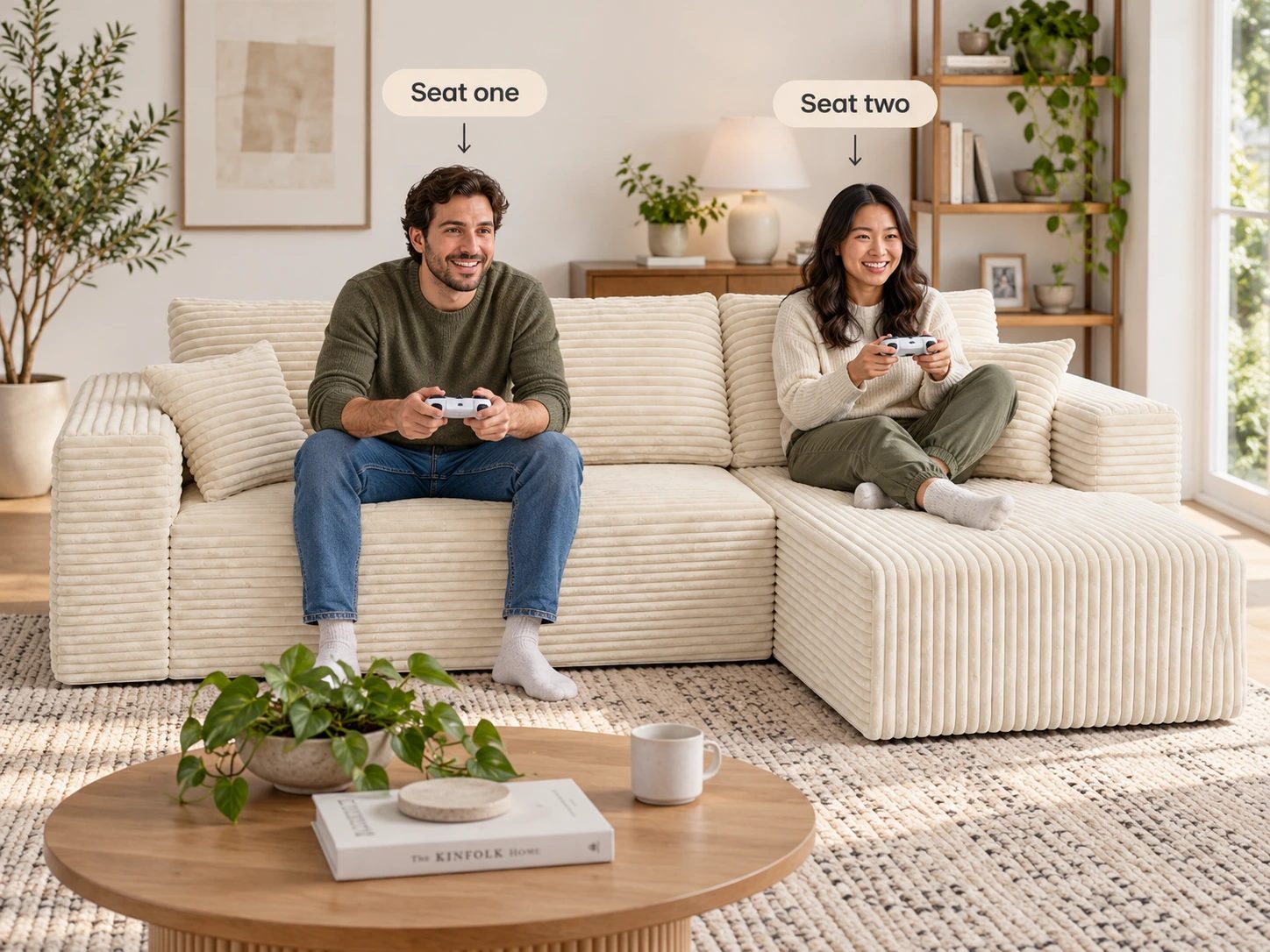
Use an actual game menu or split-screen display. Ask both people to read small text and see the part of the screen they use. If one person has to sit at an extreme side angle, moving the television or the sofa may solve more than choosing a different cushion.
For three or more regular players, count distinct positions rather than loose pillows. A larger layout may add useful seating, but it can also widen the viewing angles. Keep the outer positions in the test, especially when party-game instructions or subtitles matter.
Give the chaise and ottoman a job
THE L combines an arm module and a chaise module. That offers a clear feet-up position without a separate ottoman in the center of the room. It can be useful when the room also needs an open route to the door or desk.
THE U adds a separate ottoman and has a published 93 × 63-inch footprint with a 27.6-inch seat depth. Consider it if the ottoman gives another player a useful position for their feet or can move aside during active games. Decide where it goes when it is not in use.
An ottoman placed directly in the exit route creates a recurring interruption: somebody has to move it whenever another person leaves. That is a layout issue, even if the seat itself feels comfortable. Test the room with the piece in both its playing and stored positions.
For motion-based games, reserve the standing area separately. The sofa footprint, an ottoman and the player’s movement area all use floor space. Follow the particular game’s space requirements rather than treating empty-looking space in a photograph as a measurement.
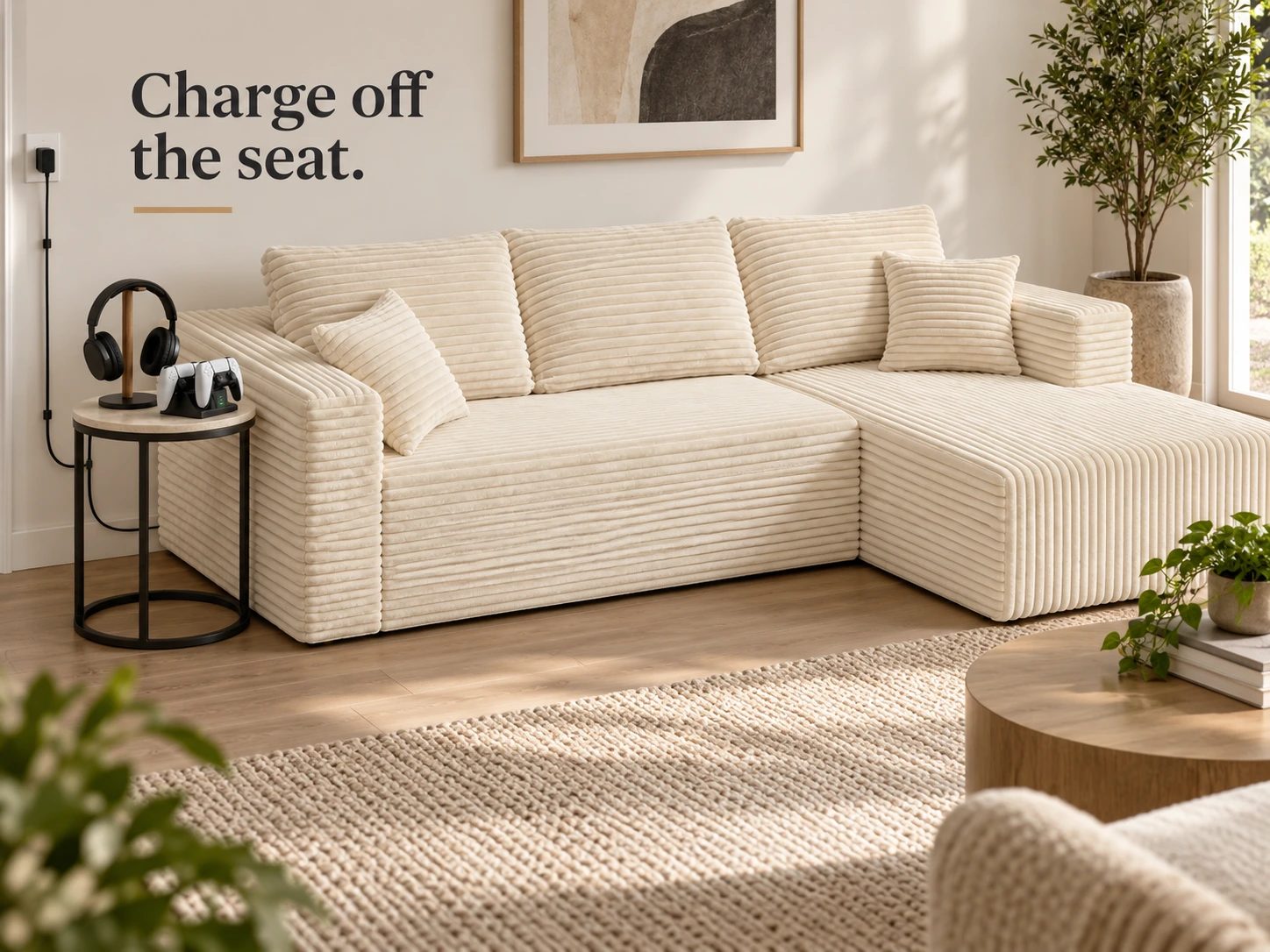
Keep consoles ventilated and charging off the seat
Put the console where its ventilation needs can be met and its cables can reach without crossing the walking route. For PS5 specifically, PlayStation’s official guidance calls for unobstructed vents and at least 10 cm around each side, approximately 4 inches. It also says not to place the console on a long-fiber carpet or in a narrow, cramped space.
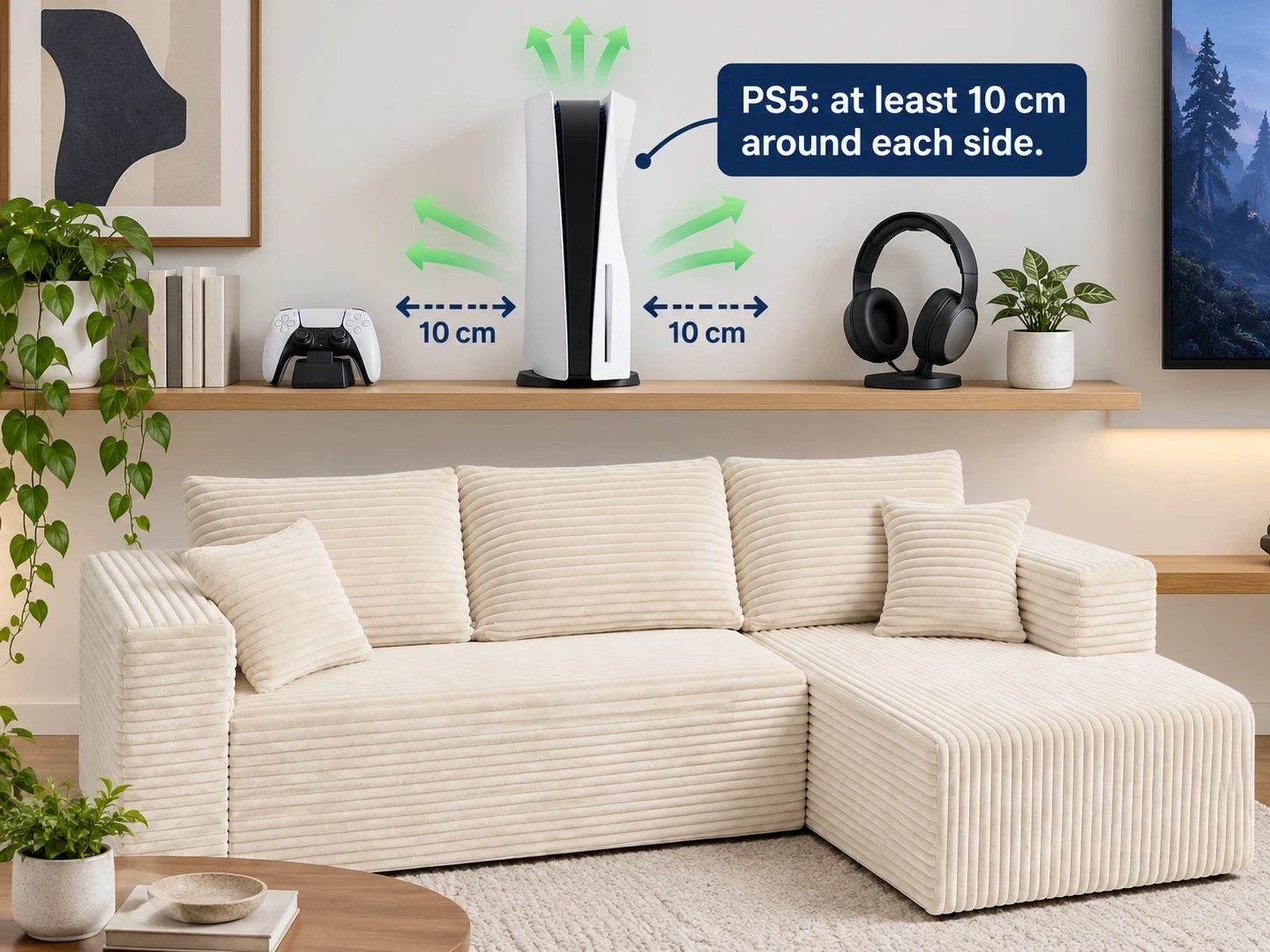
A cabinet may look tidy when closed while leaving the console short of airflow during play. Check its operating position, including doors, shelves and nearby controllers. Keep soft throws, cushions and packaging away from the ventilation area.
Give controllers and headsets a small, repeatable home. A stable side table or shelf is easier to check than a charging lead disappearing between cushions. Put drinks on a separate stable surface, and route cables along the room edge so someone leaving the seat is not stepping over them.
Make breaks easy to take
Arrange the room so a player can set down the controller, stand and leave without asking someone to move. Keep a lamp switch reachable and the route to the door free of headset leads. These small decisions make a shared room easier to use than adding another piece of furniture.
Nintendo’s Switch safety guidance recommends a 10–15-minute break every hour, even when you do not think you need one. A comfortable sofa should not turn the room into a place where changing position or taking a break is inconvenient.
Include the end of the session in your plan. Return controllers to the charging spot, remove snack crumbs with the appropriate upholstery tool and put loose cushions back where the next person will use them. If the sofa is in the main living room, the room should work for a conversation after the screen turns off.
For television viewing distance, screen height and reflections, use our media-room guide. Those decisions matter here too, but controller use and shared playing positions are the buying task this article focuses on.
Choose by your regular session, not the room’s label
THE L is worth considering when you want a compressed sofa with a low, deep lounge seat, one short chaise and a 92.5 × 61-inch footprint. Its wide-wale corduroy and separate modules make it a living-room sofa that can serve game night, rather than a specialized desk chair or an electronic gaming recliner.
Before choosing, check five things together: your preferred controller position, the second player’s elbow room, small-text visibility from both seats, the route around the chaise and the equipment’s ventilation. If the upright position feels wrong, compare a higher or shallower seat rather than expecting a density number to fix it.
If those checks match how you play, review THE L’s orientation and dimensions against your room. If a separate ottoman has a useful role, compare THE U. You will be choosing a real seating arrangement for the way your household plays—not simply a couch with “gaming” in its name.